Best Smart Family Calendars in Australia 2026
The best smart family calendars for Australian homes in 2026. Skylight and Cozyla wall calendars compared on size, chore charts, meal planning and the subscription question, with honest three-year costs.
Our Quick Picks
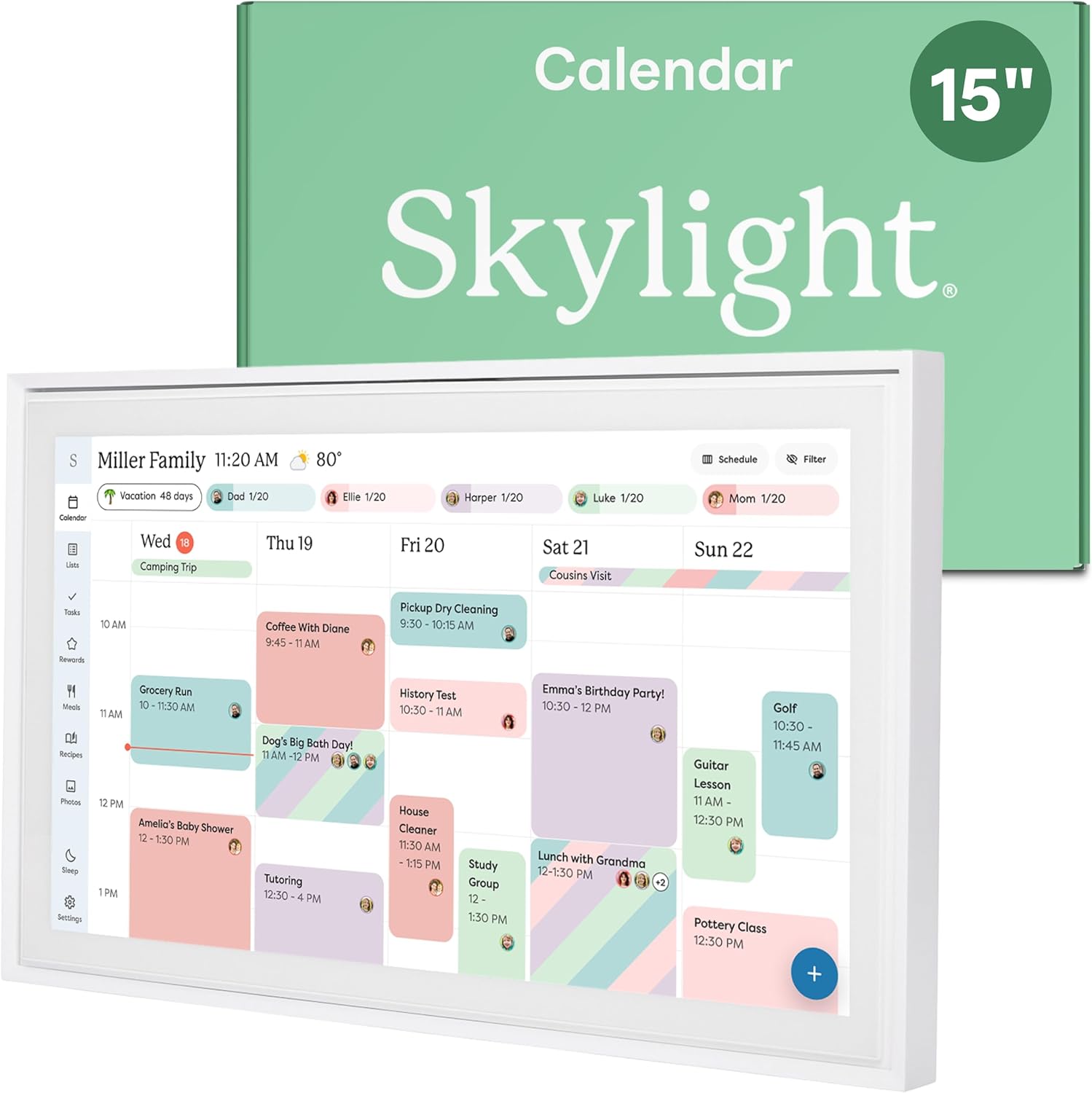
Skylight Calendar 15
The most popular smart family calendar for a reason: a polished 15 inch touchscreen wall planner with two-way calendar sync, chore charts and a genuinely family-friendly interface. Its best features (meal planning, photo screensaver, Magic Import) need the optional Plus plan at about US$79 a year.
Data & Privacy: Calendar and family data sync via Skylight's cloud. No camera or microphone; it is a display, not a voice assistant.
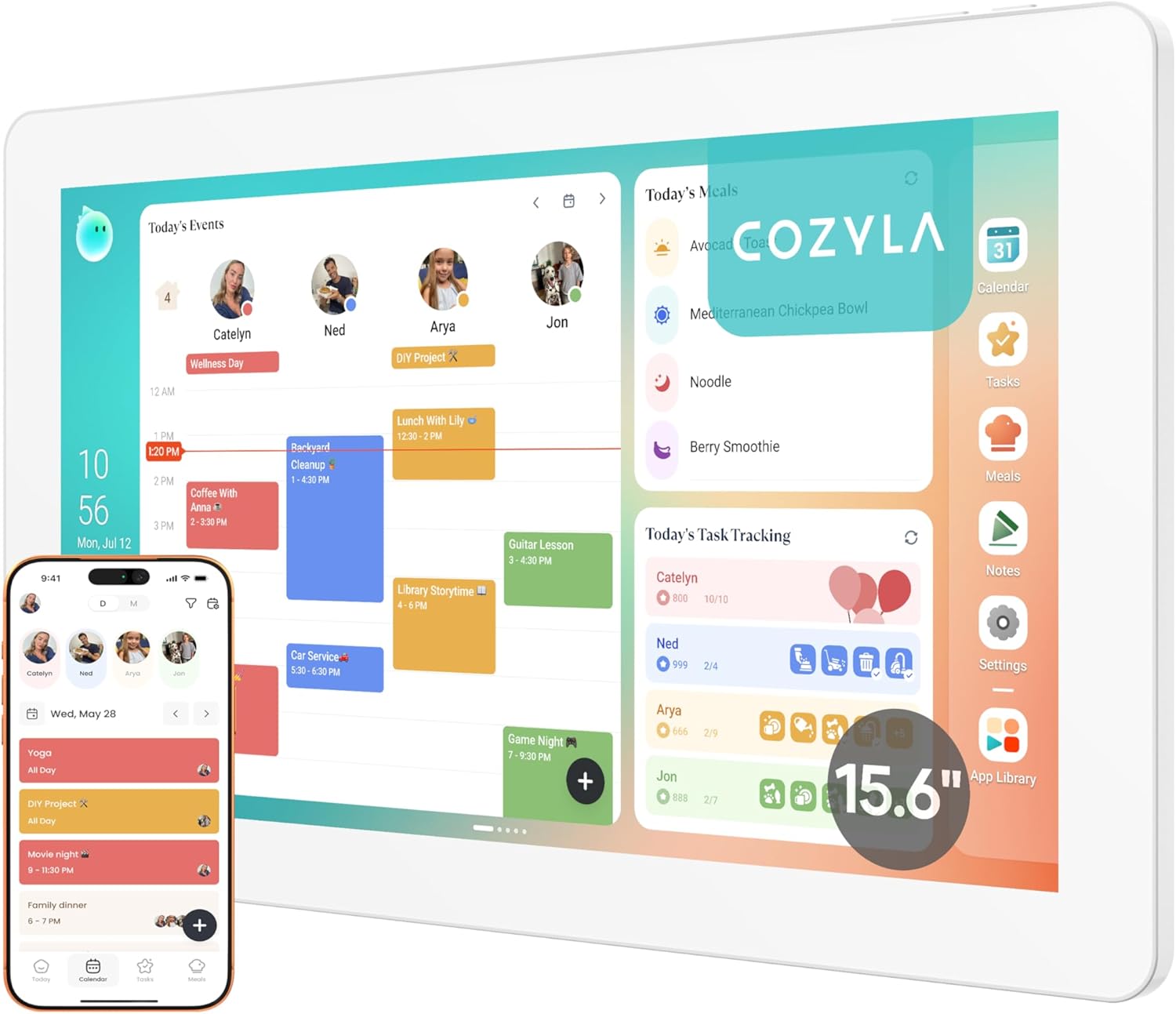
Cozyla Calendar+ 2 (15.6 inch)
Everything included, nothing to subscribe to: two-way sync with Google, Apple, Outlook and CalDAV, chore rewards, AI meal planning with shopping lists, and Google Play app support. The pick if ongoing fees annoy you.
Data & Privacy: Calendar data syncs via cloud services you connect (Google, Apple, Outlook). No camera or microphone on the device.
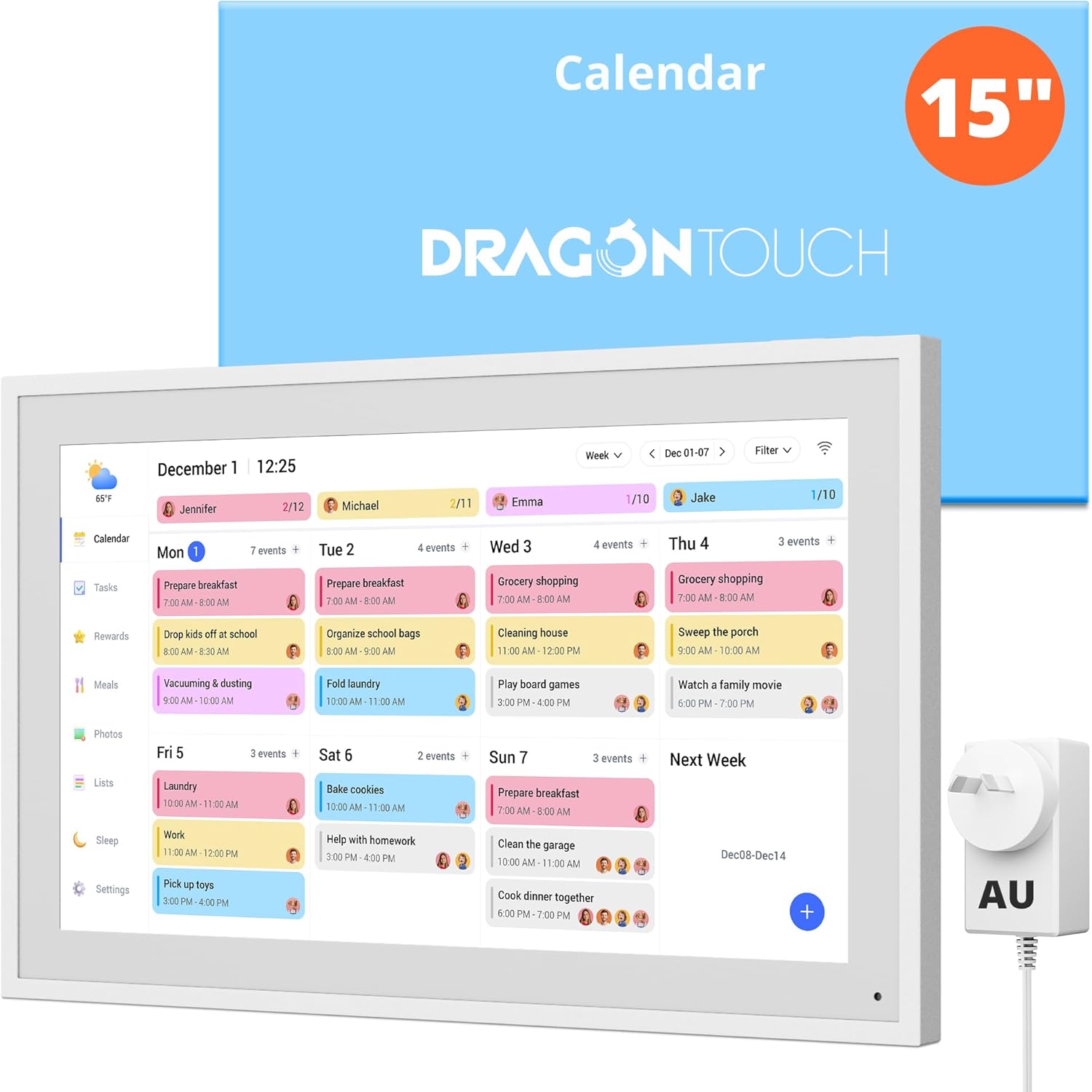
Dragon Touch 15.6 Digital Calendar
The budget way into the category from an established electronics brand: a 15.6 inch 1080p touchscreen with calendar sync, chore charts and meal planning, no subscription, for roughly half the price of the big two. Simpler software, same core job.
Data & Privacy: Syncs with the calendar accounts you connect. No camera or microphone.
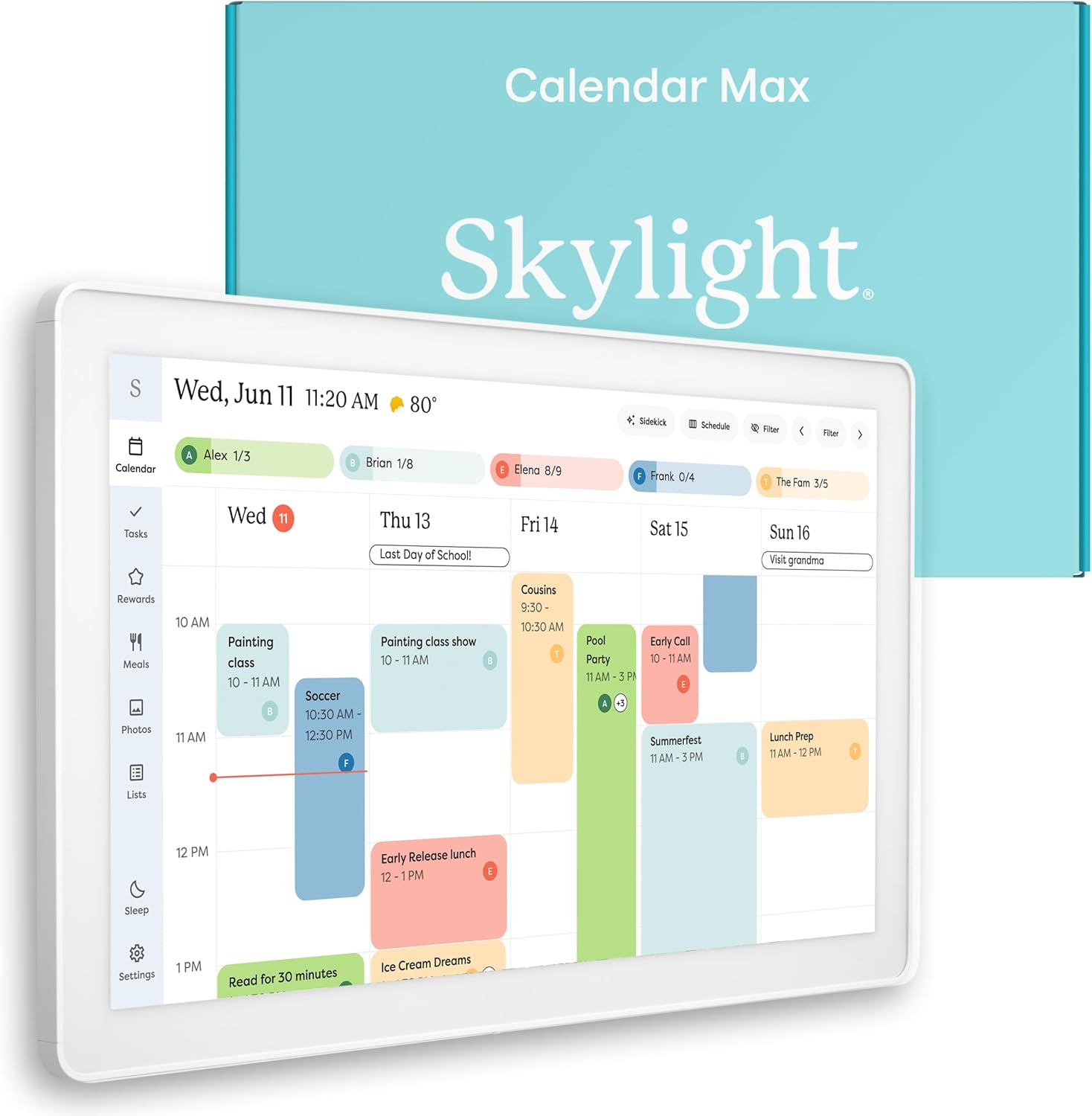
Skylight Calendar Max (27 inch)
The statement piece: a 27 inch wall-mounted family command centre that a whole household can read from across the kitchen. Same polished Skylight software, same optional Plus plan, much more glass. For big families and big walls.
Data & Privacy: Calendar and family data sync via Skylight's cloud. No camera or microphone.
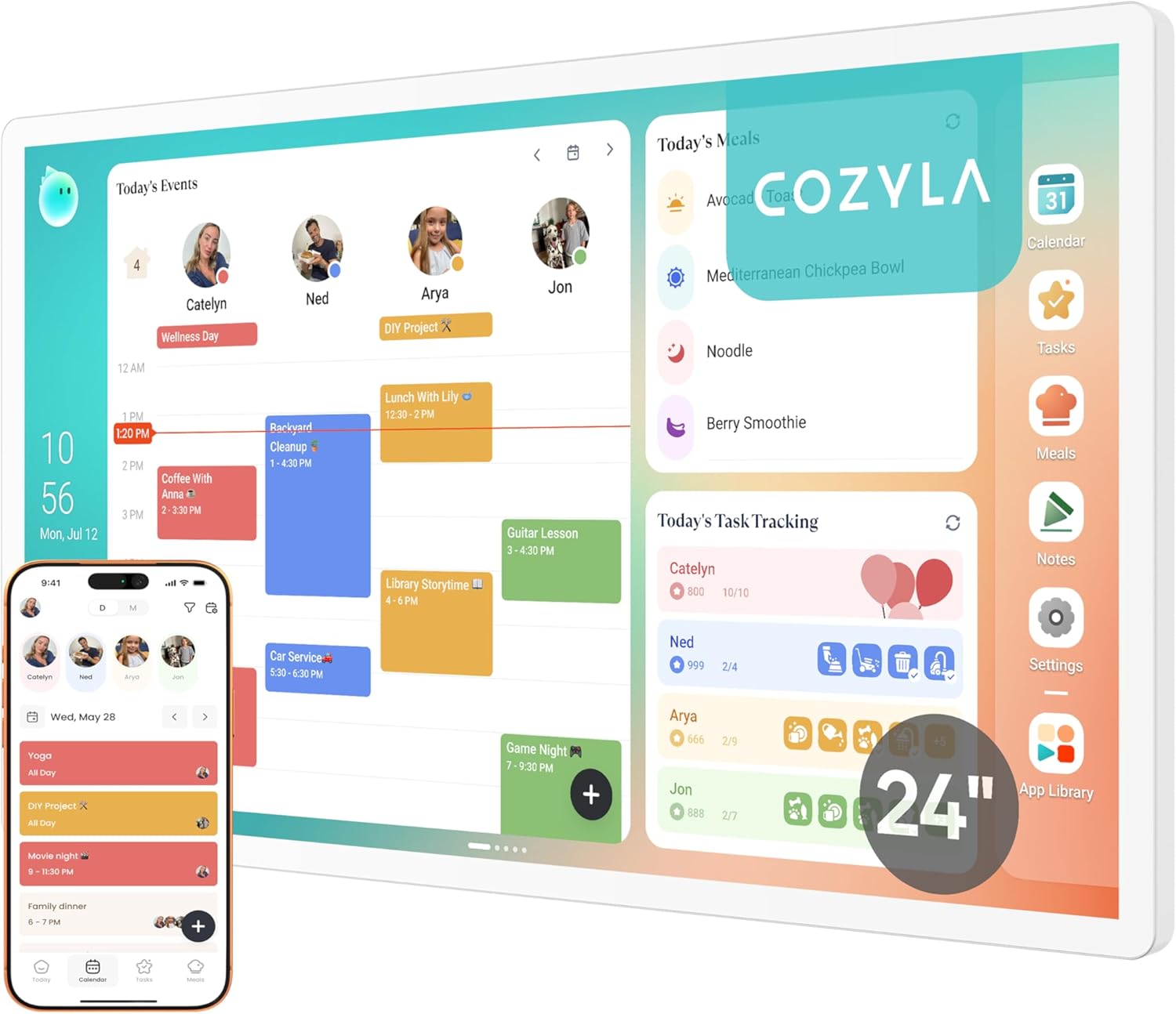
Cozyla Calendar Plus 2 (24 inch)
The large-format Cozyla: a 24 inch wall calendar with every feature included and no subscription, ever. The premium pick for households that want the big-screen command centre and refuse ongoing fees.
Data & Privacy: Calendar data syncs via the cloud services you connect. No camera or microphone.
A smart family calendar is a wall-mounted touchscreen that keeps the whole household’s schedule, chores and meals in one place everyone actually looks at. It syncs two ways with the calendars you already use (Google, Apple, Outlook), gives kids a chore chart they can tap, and doubles as a photo frame. In Australia in 2026 the category on Amazon AU is led by two brands, Skylight and Cozyla, with Dragon Touch offering a credible budget tier below them. The two leaders take opposite positions on the question that should drive your choice: subscriptions. (Hearth, the category’s premium US brand, is not sold in Australia.)
The subscription question (read this first)
This category has a Ring-style catch, and it is the main thing to understand before buying:
- Skylight sells polished hardware, but its best features (meal planning, the photo screensaver, and Magic Import, which turns a photographed school newsletter into calendar entries) live behind the optional Skylight Plus plan at about US$79 a year. The core calendar, sync and chores work without it, but the features in the ads are mostly Plus features.
- Cozyla includes everything with no subscription at all: two-way sync, chore rewards, AI meal planning with auto shopping lists, even a Google Play app store on the device.
Over three years, Skylight Plus adds roughly US$237 (about A$360) to the sticker price. That does not make Skylight the wrong choice - its software polish and family UX are the best in the category - but you should decide with the full number in front of you, not the hardware price alone.
Our picks in detail
Skylight Calendar 15 - Best Overall
The 15 inch Skylight is the category’s benchmark and its most popular size. The interface is the best here: colour-coded family members, a chore chart kids actually use, and reliable two-way sync with Google, Apple and Outlook calendars. Magic Import (Plus) is quietly brilliant for Australian school life: photograph or forward the term newsletter and the dates land in the calendar automatically. Factor the Plus plan into the real cost, and if you skip Plus, know that you are buying the core calendar experience rather than everything in the marketing.
Pros:
- Most polished family calendar software in the category
- Excellent chore system that children engage with
- Magic Import (Plus) turns school newsletters into calendar entries
Cons:
- Best features need Skylight Plus at about US$79 a year
- No app store; it does one job (well)
Australian pricing: around $529 on Amazon AU. Check the live price via the link.
Cozyla Calendar+ 2 (15.6 inch) - Best Value / No Subscription
The Cozyla matches the Skylight 15 on the essentials - two-way sync (Google, Apple, Outlook, CalDAV), chore charts with a points system, meal planning with auto-generated shopping lists - and includes all of it with no subscription, ever. It even runs Google Play apps, so the same screen can show Spotify or a recipe site. The interface is a step less polished than Skylight’s and setup takes a couple of hours to get everything synced, but the three-year cost is simply the sticker price.
Pros:
- Every feature included; no subscription at all
- True two-way sync incl. CalDAV, plus Google Play app support
- AI meal planner builds the week’s shopping list
Cons:
- Interface is functional rather than beautiful; Skylight is slicker
- Initial setup takes a couple of hours to dial in
Australian pricing: around $504 on Amazon AU. Check the live price via the link.
Dragon Touch 15.6 Digital Calendar - Best Budget
Dragon Touch is an established consumer electronics brand (tablets, dash cams, digital frames), and its 15.6 inch calendar delivers the core of what Skylight and Cozyla do for roughly half the price: a 1080p touchscreen with calendar syncing, chore charts and meal planning, wall-mounted or on the included desk stand, with no subscription. The software is plainer and less family-polished than the big two - this is the trade for the price - but if you want to try the wall-calendar life without a $500 commitment, this is the sensible entry point. A 21.5 inch version (around $450) covers the bigger-wall case on the same budget logic.
Pros:
- Half the price of Skylight and Cozyla at the same size
- No subscription; chore charts and meal planning included
- Wall mount or desk stand in the box
Cons:
- Software is functional, not polished; the big two are slicker
- Lighter family features (profiles, rewards) than Skylight or Cozyla
Australian pricing: around $280 on Amazon AU (21.5 inch around $450). Check the live price via the link.
Skylight Calendar Max (27 inch) - Best Premium Wall Hub
The Calendar Max is the Skylight 15 scaled up to 27 inches: a genuine wall fixture the whole family reads from across the room, with the same software, chores and (optional) Plus features. At this size the photo-frame mode is what sells it - it looks like a framed print between calendar checks. It is a considered purchase at around $1,199, and the same Plus maths applies, but nothing else in the category feels as much like furniture.
Pros:
- Big enough to read from across the kitchen
- Best-in-category software at statement size
- Doubles convincingly as a large photo frame
Cons:
- Premium price, plus the same optional Plus subscription
- Needs a proper wall position and a power point nearby
Australian pricing: around $1,199 on Amazon AU. Check the live price via the link.
Cozyla Calendar Plus 2 (24 inch) - Best Big Screen without Fees
The 24 inch Cozyla is for the same big-wall household as the Skylight Max, minus the ongoing fees. Same complete feature set as its smaller sibling - full sync, chores, meal planning, app store - on a screen large enough to be the household’s single source of truth. If you are choosing between the two large formats, the trade is Skylight’s slicker software against Cozyla’s everything-included pricing.
Pros:
- Large-format command centre with zero subscription
- Complete feature set, including app support
- Meaningfully cheaper than the Skylight Max over three years
Cons:
- Software polish a notch below Skylight
- Availability on Amazon AU can fluctuate
Australian pricing: around $1,040 on Amazon AU. Check the live price via the link.
How to choose
- Budget tier exists. Dragon Touch does the core job at about $280 if $500+ is more than you want to spend on trying the category.
- Subscription tolerance first. Happy to pay about US$79 a year for the slickest experience? Skylight. Want everything included up front? Cozyla. This one question decides most purchases.
- Size second. 15 inch suits a fridge-side wall or study nook; 24 to 27 inch is a true across-the-room family hub for a kitchen or hallway.
- What they are not. These are calendars, not smart displays: no voice assistant, no video calls, no camera or microphone. For Alexa or Google Assistant on a screen, see our smart displays guide.
- Power. All of these need a power point at the mounting position; plan the wall spot before you buy.
Smart family calendar comparison
| Calendar | Screen | AU price | Subscription | Chores | Meal planning | App store |
|---|---|---|---|---|---|---|
| Skylight Calendar 15 | 15 in | about $529 | Optional Plus, ~US$79/yr | Yes | Plus only | No |
| Cozyla Calendar+ 2 | 15.6 in | about $504 | None | Yes | Included | Yes (Google Play) |
| Dragon Touch 15.6 | 15.6 in | about $280 | None | Yes | Included | No |
| Skylight Calendar Max | 27 in | about $1,199 | Optional Plus, ~US$79/yr | Yes | Plus only | No |
| Cozyla Calendar Plus 2 (24) | 24 in | about $1,040 | None | Yes | Included | Yes (Google Play) |
Prices move with sale events; the links show the live price.
Frequently Asked Questions
What is the best smart family calendar in Australia?
The Skylight Calendar 15 is the best overall for its polished software and family-friendly chore system, provided you are comfortable with the optional Plus plan (about US$79 a year) for features like meal planning and Magic Import. If you want every feature included with no subscription, the Cozyla Calendar+ 2 is the best value.
Do smart family calendars need a subscription?
Cozyla includes all features with no subscription. Skylight works without one, but its headline features (meal planning, photo screensaver, Magic Import) require the optional Skylight Plus plan at about US$79 a year, which adds roughly A$360 over three years.
Do Skylight and Cozyla calendars work in Australia?
Yes. Both are sold on Amazon AU, run on standard Australian power, and sync with the Google, Apple and Outlook calendars Australian families already use. Both brands are US companies, so support and firmware come from the US, and subscription billing (Skylight Plus) is in US dollars.
Are smart family calendars just tablets on a wall?
Functionally they are purpose-built tablets, but the difference is the software: shared family views, chore charts with rewards, two-way sync that a whole household can edit at the wall, and interfaces designed for kids. Cozyla additionally runs Google Play apps; Skylight deliberately does one job.
Smart family calendar or smart display?
They solve different problems. A smart display (Echo Show, Nest Hub) is a voice assistant with a screen: music, video calls, smart home control. A smart family calendar is a large always-on wall planner for schedules, chores and meals, with no voice assistant, camera or microphone. Busy families often end up with one of each in different spots.
Do these calendars have cameras or microphones?
No. Skylight and Cozyla calendars have neither, which makes them easier to place in a kitchen or hallway than camera-equipped smart displays if privacy is a concern.